


easYgen-3000 XT; Analog Input Frequency setpoint -Example
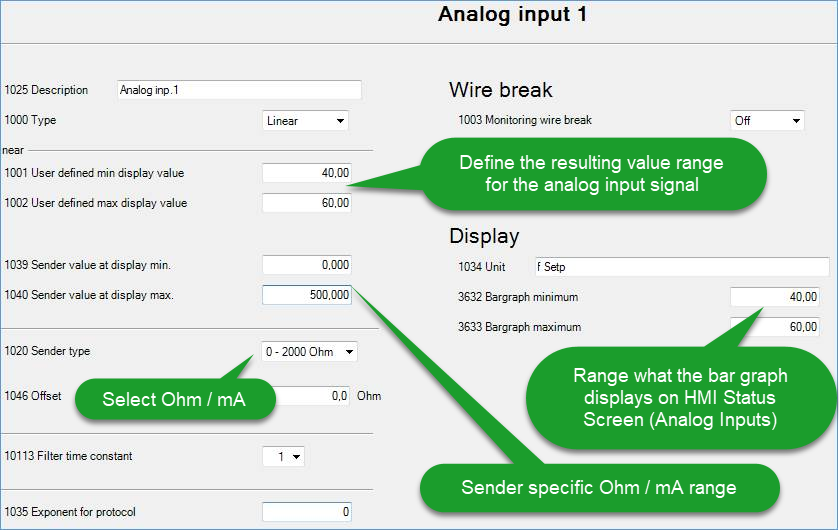
Step 1) Prepare the analog input parameters
In below example we can provide a setpoint between ...
0 Ohms = 40 Hz
250 Ohms = 50 Hz (Rated frequency)
500 Ohms = 60 Hz
ToolKit parameter screen: Analog Input 1
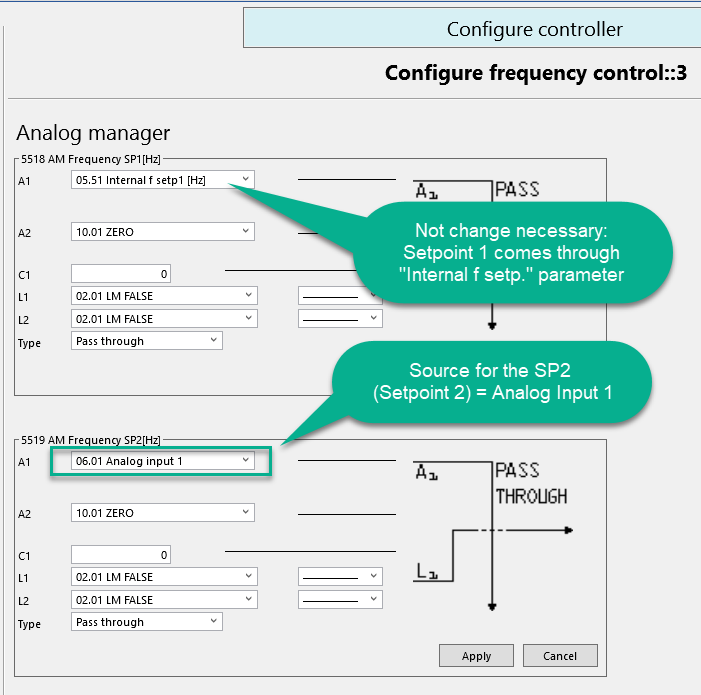
Step 2) Assign the analog input as source for the "AM frequency SP2 [Hz]"
Step 3) Prepare the Frequency Controller\Setpoint parameters
Not mandatory, but mostly done this way: Leave the 1st f-setpoint as it is, and activate the 2nd f-setpoint whenever the analog setpoint shall count.
Assign the condition when the Setpoint 2 frequency shall get active. e.g. here by Discrete input 10 the easYgen shall change to the analog input setpoint
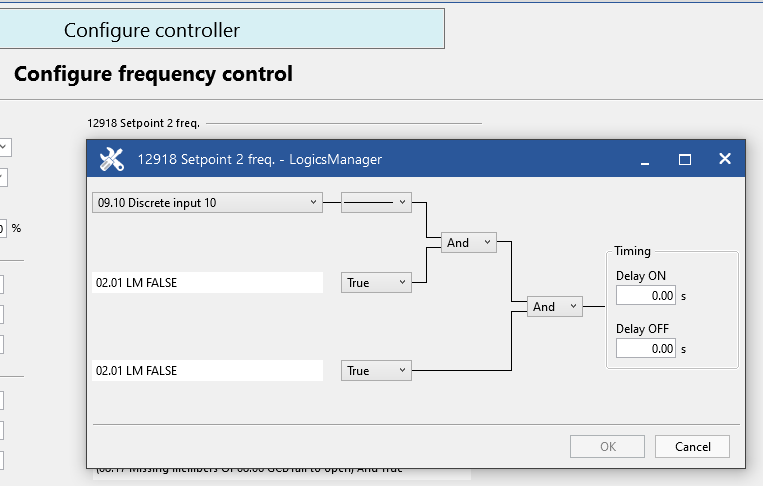
Whenever the analog input signal shall rule the frequency setpoint, just activate Discrete Input 10
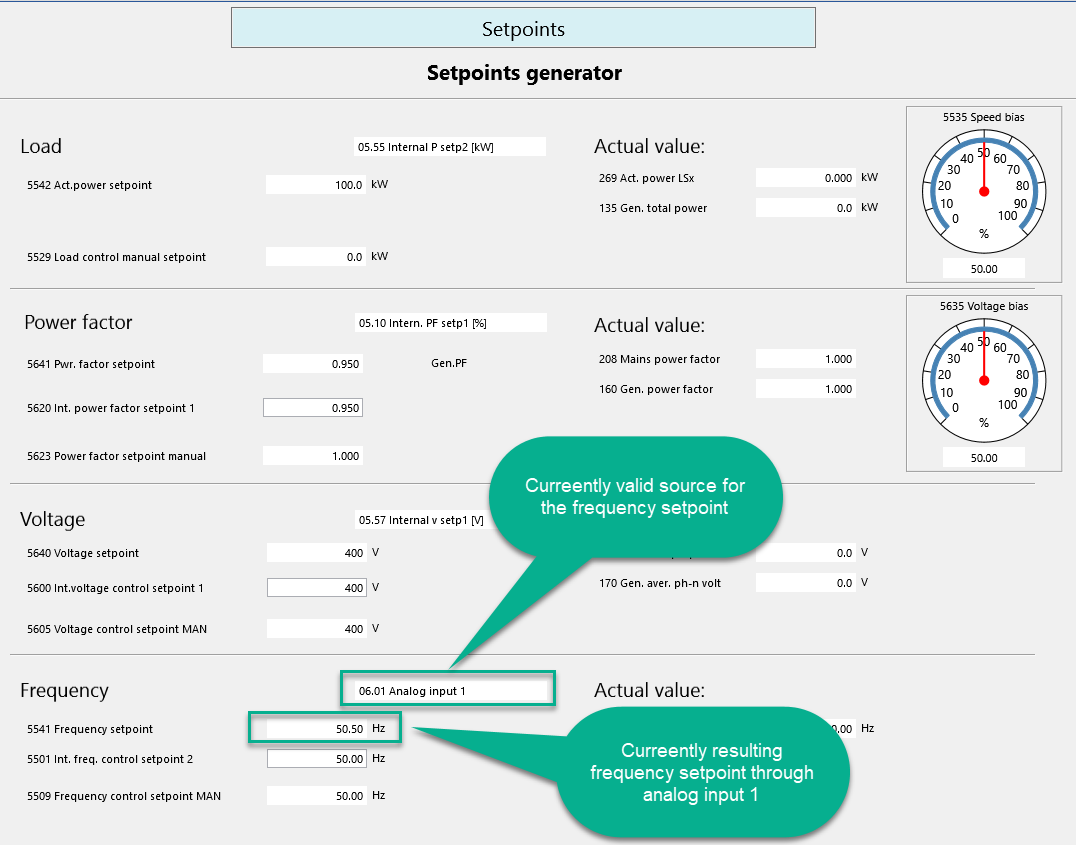
Check resulting setpoint in STATUS MENU / Setpoints / Setpoints Generator
Similarly the configuration can be done as well for the Voltage-, Active Power- and Reactive Power setpoints.