


How to configure easYgen-3000XT in order to change Operation Modes remotely
To make the Operation Modes change remotely, it needs two simple steps
1.) Configure the easYgens' Operation Modes parameters first, in order to make the operation modes remote controllable
--> e.g. Edit the according LogicsManagers this way
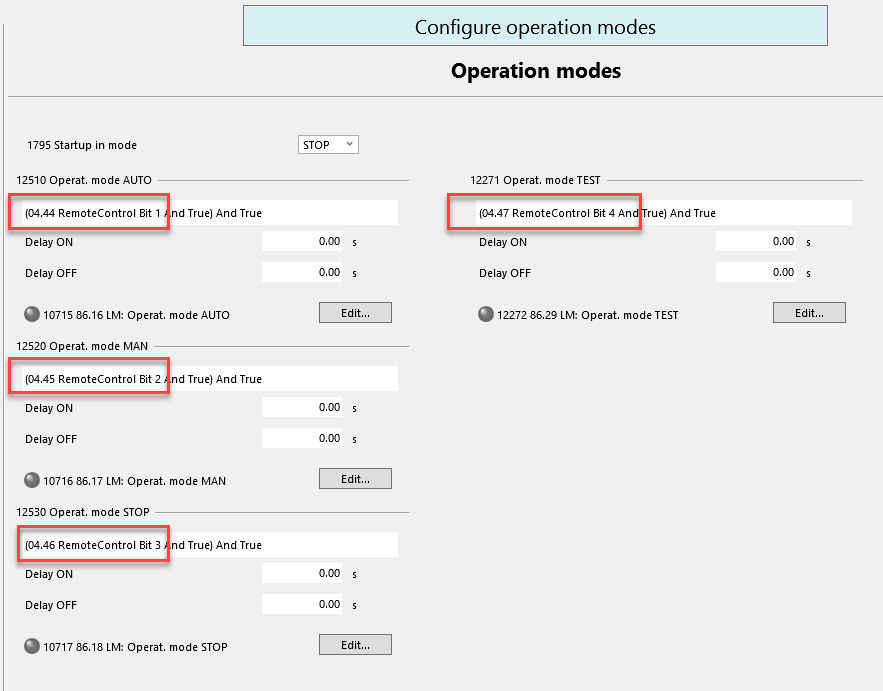
2.) Write the Remote Control Bits in the appropriate register by your PLC/SCADA system...
- either by Modbus register 505: to write all 16 Bits in one go, see below in RED
- or Modbus register 556 (Remote Control Bit 1) to 541 (Remote Control Bit 16): to write every single Bit separately, see below in YELLOW
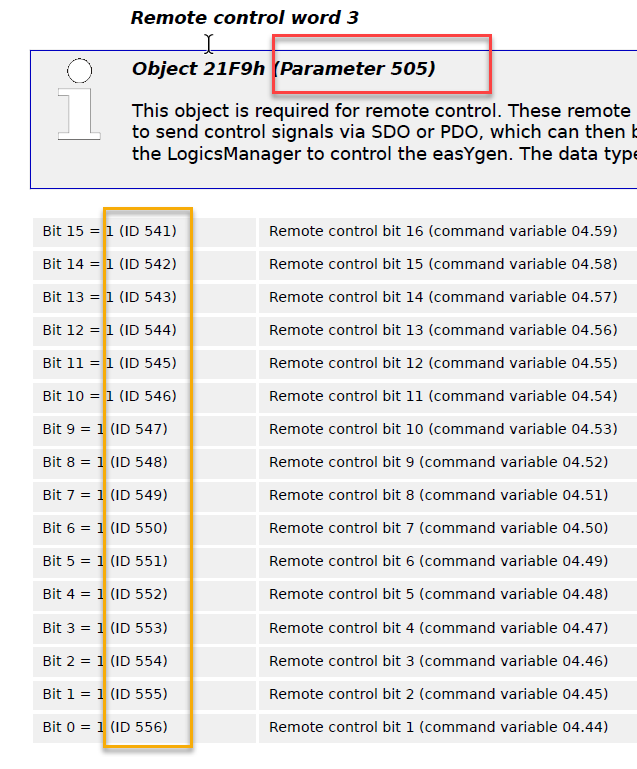
Doing so, the Operation Modes change upon triggering the appropriate Remote Bits.